Format Converter
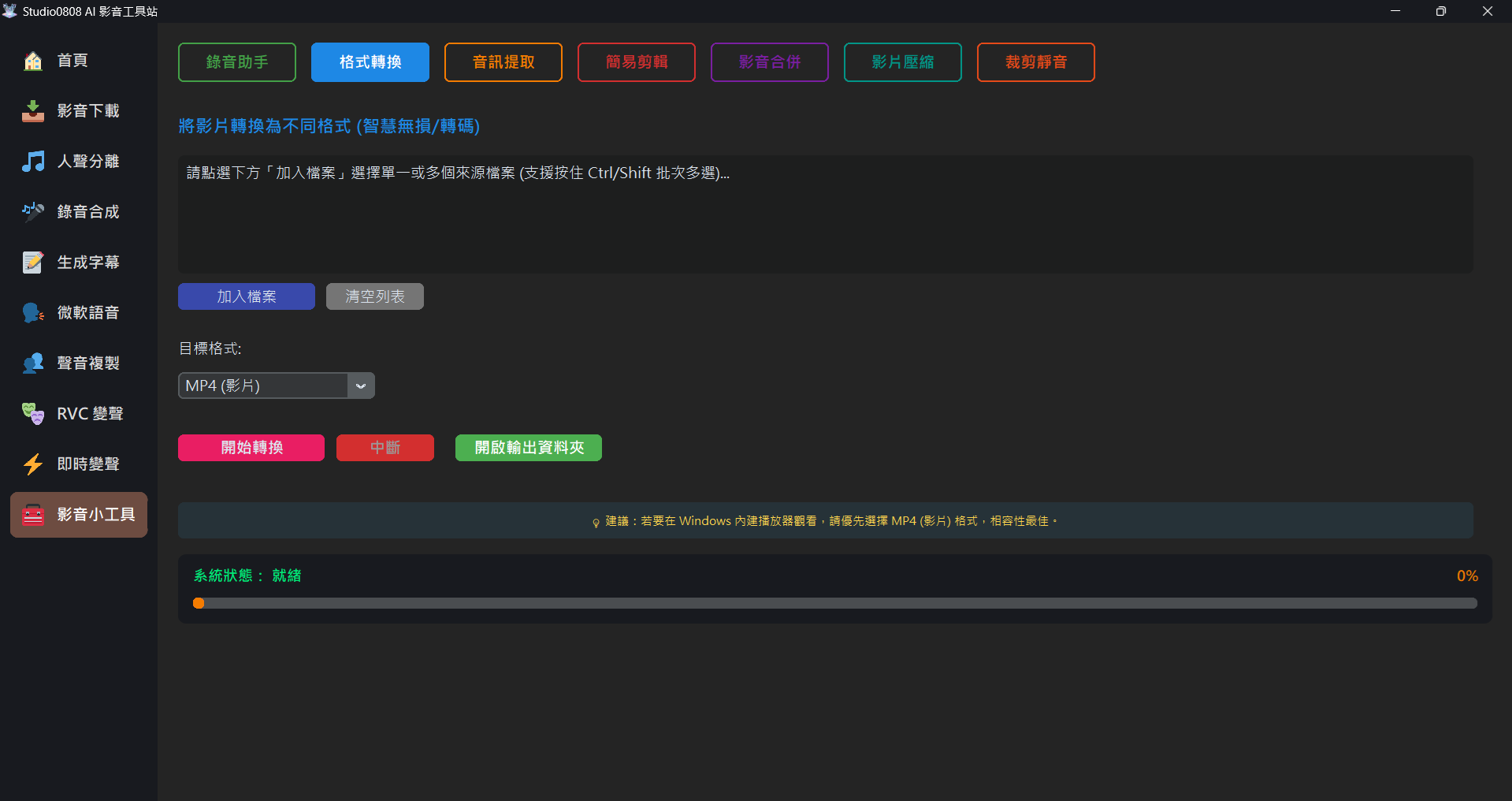
01. Feature Introduction
Format Converter allows you to establish universal conversion between different multimedia formats. It uses high-performance internal tools for transcoding, guaranteeing lossless or highest quality compression conversion.
- Video to Video (e.g., MKV to MP4)
- Video to Audio (e.g., MP4 to MP3 or WAV)
- Lossless Audio Conversion (e.g., FLAC/WAV/MP3 conversion)
02. Step-by-Step Operations
- Add File: Click the "Add File" button on the screen and select the original video
or audio file you want to convert.
💡 Batch Processing Supported: You can select multiple files at once by holding Ctrl or Shift. The system will automatically queue and process them sequentially.
- Select Target Format: Choose your desired output format from the dropdown menu (fully supporting major video formats: MP4, MKV, MOV, AVI, WMV, WEBM, FLV, MPEG, TS, and audio formats: MP3, WAV, FLAC, M4A, AAC, OGG, WMA).
- Start Conversion: Click the pink "Start Conversion" button, and the system will automatically start the high-efficiency transcoding and encoding process.
💡 Tip: Converted files will be automatically output to the Outputs/Tools folder. You
can click "Open Output Folder" at any time to view the results.
03. Frequently Asked Questions (Q&A)
Q: Why does converting video take longer than converting audio?
A: Video compression and re-encoding require massive CPU and GPU (if supported) computing resources. For high-resolution videos like 4K, it will take a proportionally longer conversion time.
Q: Will the video and audio quality degrade after conversion?
A: This program features a powerful "Smart Fallback" mechanism that automatically safeguards your media:
- Lossless & Instant: Before converting, it analyzes the original video. If the original video/audio codecs are already highly compatible (like H.264 + AAC), the program will instantly "remux" the container format in less than a second, retaining 100% of the original visual and audio quality.
- Smart Transcoding: If it detects incompatible or obscure formats (which are often the culprit for "no sound" or "video corruption" after conversion), the system will automatically initiate high-quality re-encoding. This ensures the output video plays perfectly across all your devices (phones, web browsers, TVs).
Q: Will multi-track audio or subtitles be retained from the original video file?
A: Current conversions mostly extract the first primary audio track and perform universal encoding to ensure highly consistent application support. If you need to extract specific tracks from special MKV formats, you may need to use other advanced tools.