The Unprofessional AI Video Processing Suite
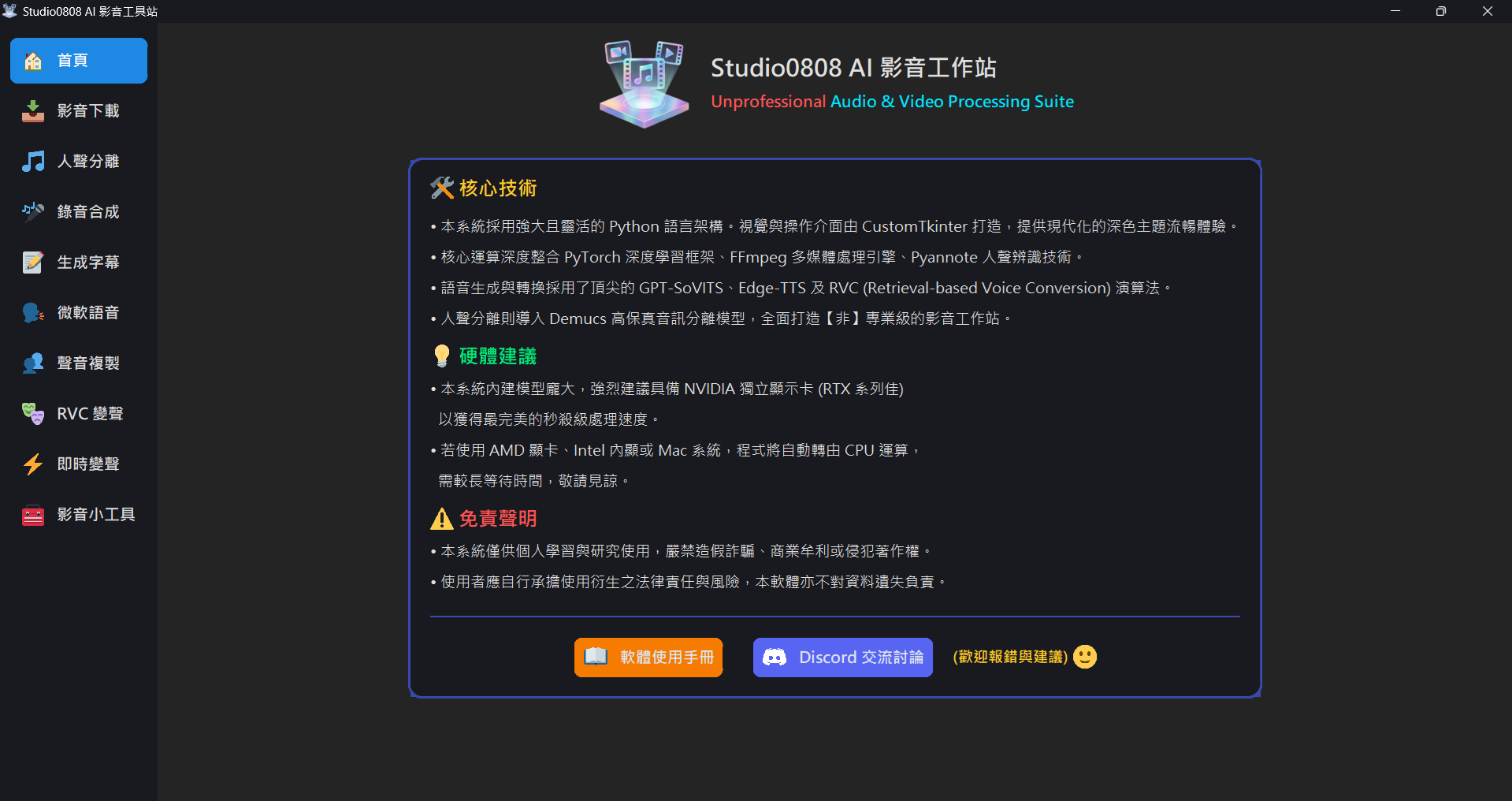
01. Core Technology
- This system utilizes a powerful and flexible Python architecture. The visual
interface is built with CustomTkinter, providing a sleek, modern dark-themed
experience.
- Dark/Light Theme Toggle: A one-click toggle button in the top right corner allows you to switch the interface color scheme based on your environment.
- Keyboard Navigation: Supports using keyboard shortcuts (
Ctrl + TabandCtrl + Shift + Tab) to quickly switch between tabs on the left sidebar.
- Core computations are deeply integrated with the PyTorch deep learning framework, FFmpeg multimedia processing engine, and Pyannote voice recognition technology.
- Voice generation and conversion are powered by cutting-edge algorithms including GPT-SoVITS, Edge-TTS, and RVC (Retrieval-based Voice Conversion).
- Vocal separation incorporates the Demucs high-fidelity audio separation model, creating a comprehensive "unprofessional" audio and video workstation.
02. Hardware Recommendations: GPUs And AMD Support
💡 Hardware Conclusion:
• This system runs massively large AI models. It is highly recommended to have an NVIDIA
dedicated GPU (RTX series preferred) for lightning-fast processing.
• If you are using an AMD GPU, Intel integrated graphics, or Mac, the program will
fallback to the CPU
for computation, which will take significantly longer. Please be patient.
This software integrates several cutting-edge open-source voice AI models (e.g.
Demucs, RVC,
GPT-SoVITS,
Whisper), all of which require substantial computing power.
❓ Why does it only support NVIDIA?
Currently, 90% of mainstream open-source AI projects rely on a framework called PyTorch
combined with NVIDIA's proprietary Compute API
"CUDA". Because other GPU brands (like AMD) physically lack CUDA cores, the application
will determine that "no suitable AI accelerator was found" upon startup, and will automatically hand
over the task to the CPU
(indicated by the red text on the UI: Running in CPU mode).
❓ What is the impact of using CPU mode?
- Batch Processing (Vocal Separation, RVC, etc.): A task that takes 20~30 seconds on an NVIDIA GPU (like an RTX 3060) might take 3 to 10+ minutes on a CPU.
- Real-time VC (Microphone): Biggest impact. Because this is real-time processing, if the CPU isn't fast enough, your voice will suffer a 3~5 second delay, or it may even stutter heavily. It's generally not recommended to use Realtime VC on CPU mode.
03. Software Versions: Full vs Medium
Considering the massive size of complete AI models, the software you downloaded might be a "Full" or "Medium" version. **The core functionalities and mechanisms of both versions are exactly the same**; the only difference is the presence of the massive GPT-SoVITS (Voice Cloning) folder:
- Full Version (approx. 38GB): Includes the complete
GPT-SoVITStraining and inference environment. The left sidebar will display the "Voice Cloning" feature, and all tools are immediately available. - Medium Version (approx. 25GB): The voice cloning environment package has been removed. To keep the interface clean, the left sidebar will **automatically hide** the "Voice Cloning" button. All other features (Downloading, Voice Conversion, Subtitles, Separation) function normally.
💡 Tip: Future Updates and Manual Slim-down
1. Software Updates: For future updates, you only need to download the new Studio0808.exe and replace the old one in your folder. **You do NOT need to re-download the massive core modules and AI models!**
2. Manual Slim-down: If you downloaded the Full Version but find you temporarily don't need the voice cloning feature, or if your hard drive space is tight, you simply need to **directly delete the GPT-SoVITS folder in the program's root directory**. The next time you start the program, it will automatically become the "Medium Version" and free up massive storage space!
04. System Performance & Multi-Tasking
❓ Does the app support multi-tasking? Can I download and convert at the same time?
Yes, the system fully supports multi-tasking!
The program is designed to use independent background threads or subprocesses for every time-consuming task (including formatting, downloading, vocal separation, etc.). As long as your hardware (CPU, RAM, GPU VRAM) is powerful enough, you can absolutely:
- Queue up a batch conversion in the 'Format Converter' while the 'Video Downloader' is grabbing files.
- Even run 'Vocal Separation' on your GPU at the very same time.
Tasks will not interfere with each other, and the main window will remain responsive. The only bottleneck will be your computer's hardware limits (e.g. running out of VRAM if too many AI models are loaded simultaneously).
05. Disclaimer
This software and all built-in integrated open-source tools (including Video Downloader, Voice Models, Translators, etc.) are strictly for personal study, research, and academic exchange only.
- Copyright & Licensing: Users must ensure that any downloaded or processed multimedia material does not infringe on the copyright of others. Use of this tool for extracting premium commercial content or unauthorized redistribution is strictly prohibited.
- AI Generation Conduct: When using "Voice Cloning" and "RVC Inference", please do not use this technology to spoof others' voices for scams, spreading misinformation, or engaging in any infringing or illegal activities.
- Liability Disclaimer: Users bear the risk and responsibility of using this software. The developer does not guarantee absolute stability of the features, and is not responsible for any data loss, account bans, or legal disputes.
06. System File Structure & Outputs
To keep your workspace clean, outputs and dependency models are managed in unified directories:
- 📂
Outputs\(All exported work)Downloads\: Raw files from the Video DownloaderVocals\: Separated clean vocal tracks and instrumentalsRVC\: Audio generated from RVC Voice ConversionCloned\: Fully synthesised speech from GPT-SoVITS
- 📂
models\(Function-specific AI modules)- If you've downloaded other people's
.pth,.ckpt, or.indexvoice model files from the web, please drop them into their corresponding folders based on functionality (models\RVCormodels\SoVITS).
- If you've downloaded other people's
07. Extending Realtime VC Integrations
If you want to pass the "Realtime VC" modified voice into Discord, Line, or In-game Voice Chat so others can hear you, you must install a free "Virtual Audio Cable" software, such as VB-Audio Cable.
This acts like a virtual wire routing our program's output track directly into Discord's microphone input. For detailed configuration instructions, refer to the [Setup Guide] target button on the Realtime VC UI.
08. Core Engines & Packages
This software integrates the following robust open-source engines, fully optimized for compatibility with the latest hardware (including RTX 50 series):
- PyTorch v2.6.0+cu124 (Core AI compute engine, supporting latest Blackwell sm_120 arch and CUDA 12.4)
- FFmpeg (Underlying Audio/Video codec engine)
- htdemucs (Meta's open-source high-quality music/vocal separation model)
- Torchcrepe (Accurate pitch-estimation algorithm for RVC)
- faster-whisper (High-performance AI transcription & subtitle engine)
- Edge-TTS (Microsoft's cloud-based speech synthesis API)
- yt-dlp (Open-source video & stream & downloader)
09. Community & Bug Report
If you encounter any issues, bugs, or have feature suggestions during use, welcome to join our Discord community to chat with other users and developers!