Auto Silence Cutter
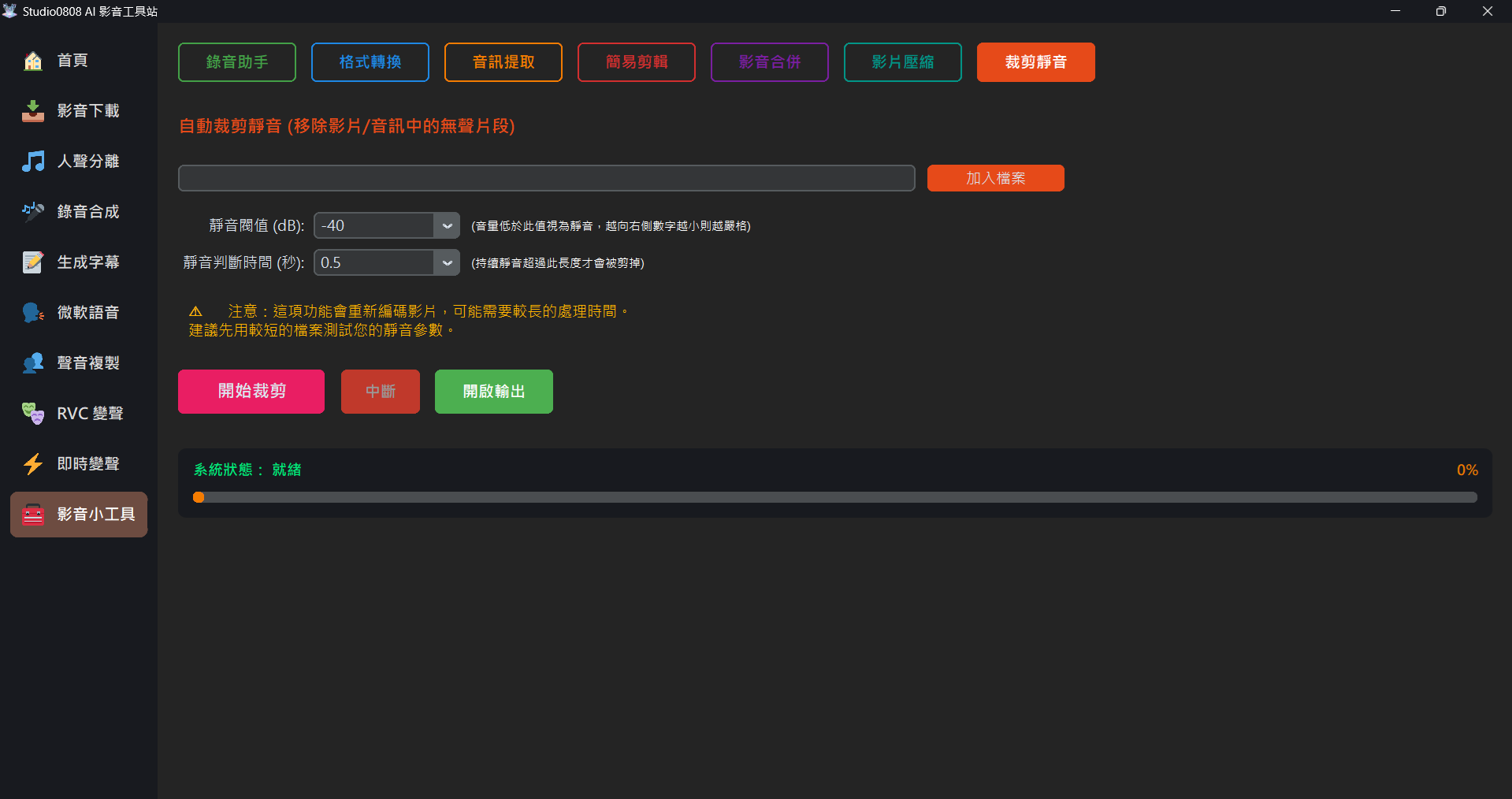
01. Overview
Auto Silence Cutter is designed to improve editing efficiency. It can automatically analyze your video or audio-only files, identify the "silent segments" (like pauses during speech, thinking time, or breathing), and trim these segments with a single click.
This can save massive amounts of manual "chopping" time for Podcasters, course recording creators, or YouTube single-take Talking Head video creators.
02. Parameter Tuning Suggestions
Everyone's microphone and recording environment are different, so appropriate parameter settings are key to success:
- Silence Threshold (dB): Represents "what volume level and below is considered
silence".
- -30dB: Less sensitive. Suitable for loud ambient noise, but might mistakenly cut out breathing or quiet speech.
- -40dB (Default): Balanced choice, suitable for most standard microphone environments.
- -50dB / -60dB: Strict judgment. Only very quiet segments will be cut, suitable for extremely quiet studio environments.
- Silence Duration (Seconds): Represents "how long the silence must last before it
gets cut".
- 0.3s / 0.5s (Default): Makes speech rhythm compact, almost sentence-to-sentence.
- 1.0s or more: Retains natural pause spaces, sounding more relaxed.
03. Important Notes
⚠️ Special Warning for Video Files:
When processing videos, this tool will completely dismantle the original video and re-encode it into the new duration. Since video encoding is extremely CPU-intensive, processing a one-hour video might take considerable time.
Strongly Recommended: First record a 1~2 minute test video containing pauses, and test various parameters through the tool. Once satisfied with the results, apply them to your full-length videos.
When processing videos, this tool will completely dismantle the original video and re-encode it into the new duration. Since video encoding is extremely CPU-intensive, processing a one-hour video might take considerable time.
Strongly Recommended: First record a 1~2 minute test video containing pauses, and test various parameters through the tool. Once satisfied with the results, apply them to your full-length videos.
- This process also supports audio-only files (.mp3 / .wav). Audio-only processing is many times faster than video.
- If you click "Interrupt" to stop video processing, you might find temporary sliced files in the output folder; please clean them up manually.