Lossless Video Merger
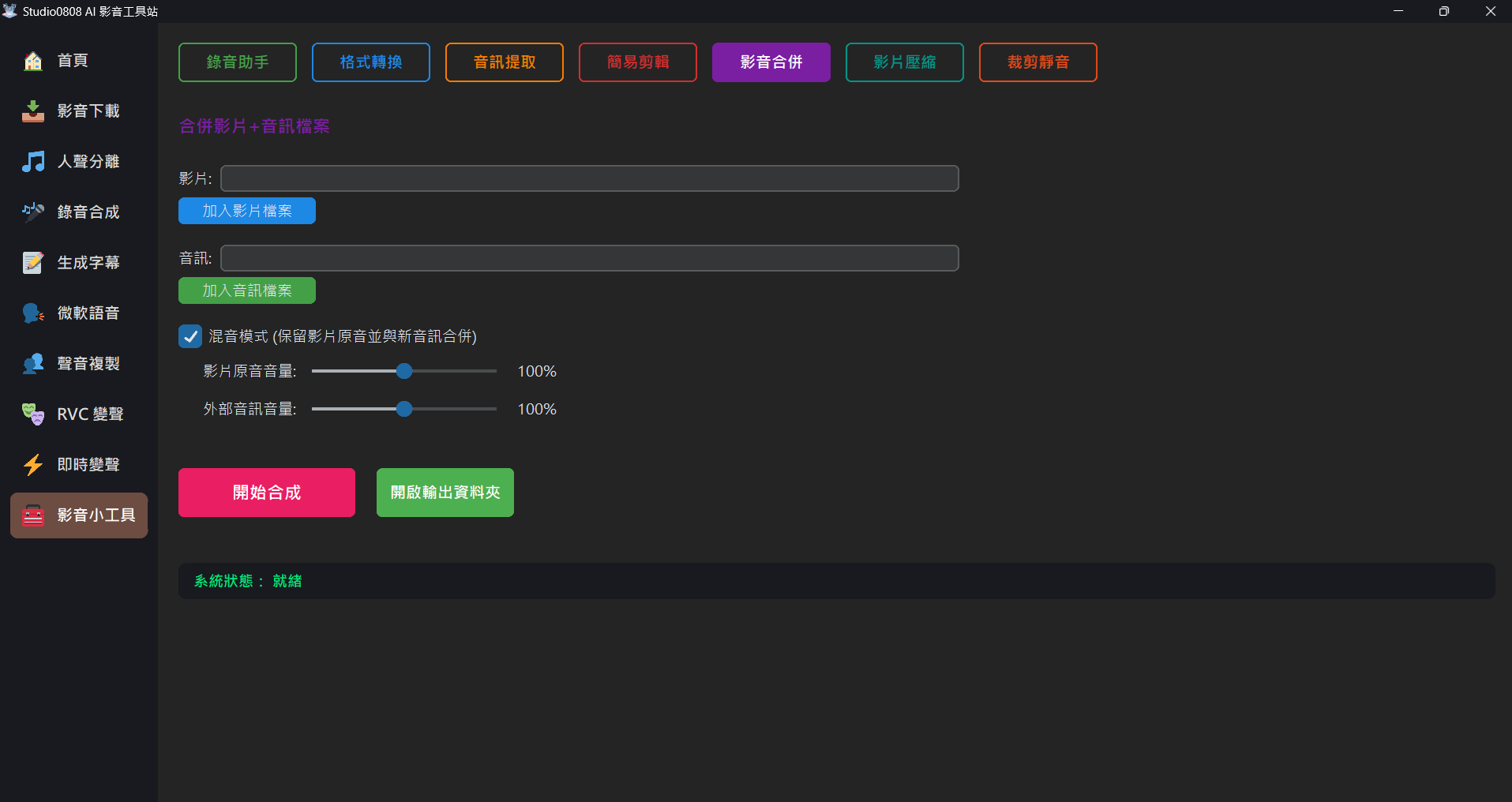
01. Feature Introduction
Video Merger is a fine-tuning tool designed specifically for handling "overlaying pure audio onto silent video" and "remixing original vocals with accompaniment". It is often used to replace the time-consuming re-rendering process of traditional editing software.
- High-speed combination of your newly recorded vocal track with a silent MV.
- Adjust relative volumes of the video and the new audio track (Gain adjustment) during mixing.
02. Step-by-Step Operations
- Load Media: Click the "Insert Video File" and "Insert Audio File" buttons respectively.
- Mix Mode:
- Check "Mix Audio Mode": This will retain the video's original background audio, "mixing and overlaying" its volume with your newly loaded audio source. Options for "Original Video Audio Volume" and "New Loaded Audio Volume" will appear below for you to adjust.
- Uncheck: The system will strip the built-in audio track of the original video entirely and replace it completely with the newly loaded audio. This method can usually achieve lossless output in seconds (without needing to re-encode soundwaves).
- Auto Duration Trimming: Regardless of the duration difference between the two, the final mixed file will automatically end based on the "video duration".
- Start Merging: Once settings are in place, simply click the pink "Start Merging" button.
💡 Tip: The merged project will be automatically saved in the Outputs/Tools folder.
03. Frequently Asked Questions (Q&A)
Q: Why is purely replacing audio extremely fast, but checking mix mode takes a long time?
A: Pure replacement is an operation known as Remux, which can be done without re-encoding. But if you enable "Mix Mode", the system must first unpack both tracks, re-render the soundwaves, and then overlay and synthesize them. The required time will vary according to the file size and bitrate.
Q: Can I load more than two audio files at once?
A: Unfortunately, this simple video merger only supports the mixing of "one video source + one external imported audio source". If you need multi-track mixing, please use professional DAW (Digital Audio Workstation) software.